iOS Concepts18 min readMay 30, 2026

Mastering the Apple Ecosystem: A Developer's Comprehensive Guide

The Apple ecosystem offers an unparalleled opportunity for developers to create intuitive, powerful, and seamlessly integrated applications across a range of devices. Understanding its core components, from development tools to operating systems, is crucial for building truly native experiences. This guide provides a comprehensive overview of how to leverage the Apple ecosystem effectively.

Mastering the Apple Ecosystem: A Developer's Comprehensive Guide

Introduction to the Apple Ecosystem for Developers

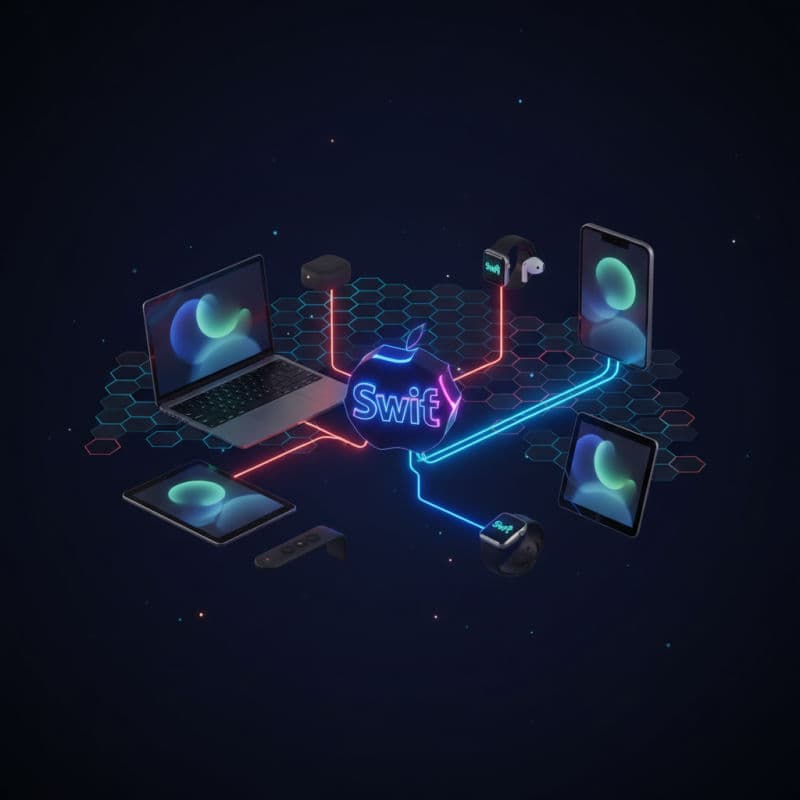
The Apple ecosystem is more than just a collection of devices; it's a tightly integrated network of hardware, software, and services designed to work together harmoniously. For developers, this presents a unique advantage: a consistent development environment, powerful frameworks, and a vast user base accustomed to high-quality experiences. Understanding the pillars of this ecosystem – Swift, SwiftUI, Xcode, and the various operating systems – is your first step towards building compelling applications.

At its heart, the Apple ecosystem thrives on consistency. Users expect a certain level of polish, performance, and privacy from their Apple devices, and as a developer, you inherit that responsibility and opportunity. Embracing Apple's design principles and leveraging its native frameworks will not only streamline your development process but also lead to apps that feel truly at home on Apple devices. This article will guide you through the essential components and best practices for thriving within this rich development landscape.

The Core Technologies: Swift, SwiftUI, and Xcode

Your journey into the Apple ecosystem begins with its foundational technologies:

Swift: The Language of Apple Development

Swift is Apple's powerful and intuitive programming language, designed for safety, performance, and modern software design patterns. It's the primary language for developing across all Apple platforms. Its clean syntax and robust type system help developers write less code, with fewer errors, leading to more reliable applications. Swift constantly evolves, with new features and performance improvements released annually.

SwiftUI: Declarative UI Framework for All Platforms

SwiftUI is Apple's innovative, declarative UI framework that allows you to build user interfaces for all Apple platforms using a single codebase. Introduced in 2019, SwiftUI dramatically simplifies UI development by letting you describe what your UI should look like, and the framework handles the rendering. It works seamlessly with Swift and integrates deeply with Xcode's previews, making iterative UI design incredibly efficient. SwiftUI provides automatic support for Dark Mode, accessibility, internationalization, and right-to-left languages without extra effort.

Xcode: The Integrated Development Environment

Xcode is the complete integrated development environment (IDE) provided by Apple for developing software for macOS, iOS, iPadOS, watchOS, and tvOS. It includes a powerful source code editor, an intelligent build system, a graphical debugger, and an extensive suite of developer tools. Xcode's interface builder allows you to design your UI visually (for UIKit-based apps), and with SwiftUI, its canvas provides live previews of your UI as you code. Xcode also integrates with Git for version control, and includes Instruments for performance analysis and XCTest for unit and UI testing.

Here's a simple SwiftUI example demonstrating basic UI development that runs on iOS, macOS, and other platforms with minimal changes:

Compatibility Note: This SwiftUI code requires iOS 13.0+, macOS 10.15+, watchOS 6.0+, tvOS 13.0+.

swift
import SwiftUI

struct ContentView: View {
    @State private var userName: String = ""
    @State private var greetingText: String = "Hello, World!"

    var body: some View {
        VStack {
            Image(systemName: "globe")
                .imageScale(.large)
                .foregroundColor(.accentColor)
                .padding()

            Text(greetingText)
                .font(.largeTitle)
                .fontWeight(.bold)
                .padding()

            TextField("Enter your name", text: $userName)
                .textFieldStyle(RoundedBorderTextFieldStyle())
                .padding()
            
            Button("Update Greeting") {
                if userName.isEmpty {
                    greetingText = "Hello, Stranger!"
                } else {
                    greetingText = "Hello, \(userName)!"
                }
            }
            .padding()
            .buttonStyle(.borderedProminent)

            Spacer()
        }
        .padding()
        .navigationTitle("SwiftUI Example") // For NavigationView context
    }
}

struct ContentView_Previews: PreviewProvider {
    static var previews: some View {
        ContentView()
    }
}

Exploring Apple's Operating Systems

The true power of the Apple ecosystem lies in the synergy between its operating systems. While each OS is tailored for its specific device, they share a common foundation and many frameworks, allowing for remarkable integration and code reuse.

iOS: The World's Most Advanced Mobile OS

iOS powers iPhone and iPod touch, offering a rich set of features, sophisticated security, and a fluid user experience. Developers can leverage frameworks like UIKit (for imperative UI), Core Data (for persistence), Core Location (for location services), and many more to build powerful mobile applications. The App Store provides a massive distribution channel for your iOS apps.

iPadOS: Unleashing the iPad's Potential

iPadOS builds upon iOS, adding unique multitasking capabilities (Split View, Slide Over), enhanced cursor support, and a desktop-class browsing experience. Apps designed for iOS often run seamlessly on iPadOS, but tailoring your UI to take advantage of the iPad's larger screen and specific features (like PencilKit for Apple Pencil integration) can significantly enhance the user experience.

macOS: The Foundation of Creativity and Productivity

macOS, powering MacBook, Mac mini, iMac, and Mac Pro, is a sophisticated desktop operating system known for its robust Unix-based foundation and elegant user interface. Developers can build native Mac apps using AppKit (for imperative UI) or SwiftUI. macOS offers unique capabilities for productivity, professional creative work, and advanced system-level programming. Catalyst technology also allows you to bring your iPad apps to the Mac with minimal effort.

watchOS: Intelligent Experiences on Your Wrist

watchOS is the operating system for Apple Watch. It focuses on glanceable information, quick interactions, and health and fitness tracking. Developing for watchOS involves creating complications for watch faces, building small, focused apps, and integrating with HealthKit. Performance and battery life are critical considerations when developing for Apple Watch.

tvOS: Entertainment on the Big Screen

tvOS powers Apple TV, providing an entertainment-focused experience for living rooms. Apps on tvOS often revolve around media consumption, gaming, or interactive entertainment. The focus is on a lean-back experience, typically controlled by a remote, making UI and user interaction design distinct from other platforms.

Integrating features across these platforms often means using shared frameworks. For instance, CloudKit allows for seamless data synchronization, and UserNotifications provides a unified way to deliver alerts across devices.

swift
import Foundation
import CloudKit

class CloudDataManager {
    let container = CKContainer.default()

    func saveNote(content: String, completion: @escaping (Result<CKRecord, Error>) -> Void) {
        let privateDatabase = container.privateCloudDatabase
        let newNoteRecord = CKRecord(recordType: "Note")
        newNoteRecord["content"] = content as CKRecordValue

        privateDatabase.save(newNoteRecord) { record, error in
            DispatchQueue.main.async {
                if let error = error {
                    print("Error saving note: \(error.localizedDescription)")
                    completion(.failure(error))
                } else if let record = record {
                    print("Note saved successfully: \(record.recordID.recordName)")
                    completion(.success(record))
                }
            }
        }
    }

    func fetchNotes(completion: @escaping (Result<[CKRecord], Error>) -> Void) {
        let privateDatabase = container.privateCloudDatabase
        let predicate = NSPredicate(value: true) // Fetch all notes
        let query = CKQuery(recordType: "Note", predicate: predicate)

        privateDatabase.perform(query, inZoneWith: nil) { records, error in
            DispatchQueue.main.async {
                if let error = error {
                    print("Error fetching notes: \(error.localizedDescription)")
                    completion(.failure(error))
                } else if let records = records {
                    print("Fetched \(records.count) notes.")
                    completion(.success(records))
                }
            }
        }
    }
}

// Example Usage (e.g., from a SwiftUI View or ViewController)
// let cloudManager = CloudDataManager()
// cloudManager.saveNote(content: "My first CloudKit note") { result in
//     switch result {
//     case .success(let record): print("Saved record: \(record)")
//     case .failure(let error): print("Failed to save: \(error.localizedDescription)")
//     }
// }

// cloudManager.fetchNotes { result in
//     switch result {
//     case .success(let notes): print("Fetched notes: \(notes.map { $0["content"] as? String ?? "N/A" }.joined(separator: ", "))")
//     case .failure(let error): print("Failed to fetch: \(error.localizedDescription)")
//     }
// }

Designing for the Ecosystem: Principles and Practices

Building successful apps within the Apple ecosystem goes beyond just coding; it involves adhering to Apple's Human Interface Guidelines (HIG) and embracing system-level integrations. These principles ensure your app feels native and offers a consistent user experience across devices.

Human Interface Guidelines (HIG)

Apple's HIG provide comprehensive recommendations for designing intuitive, beautiful, and accessible user interfaces. They cover everything from visual design and typography to interaction patterns and system integration. Following the HIG helps your app feel familiar and natural to users, reducing the learning curve and increasing user satisfaction. Key principles include:

  • Clarity: Make sure text is legible, icons are precise, and elements are easy to understand.
  • Deference: Content should be paramount; UIs should support it without distracting from it.
  • Depth: Responsive animations, blur effects, and distinct layers convey hierarchy and enable a sense of depth.
  • User Control: Give users control over their experience, with predictable actions and clear feedback.
  • Direct Manipulation: Allow users to directly interact with on-screen objects.

Seamless Integration Points

Leverage features that make your app feel like a natural extension of the user's device and other applications:

  • Universal Links/Deep Links: Allow users to open specific content within your app from a web link or another app.
  • Handoff: Enable users to start an activity on one device (e.g., iPhone) and continue it seamlessly on another (e.g., Mac or iPad). This requires UserActivity functionality.
  • Shared Keychain: Securely share credentials and other sensitive information between your apps (e.g., a companion app and its main app) on the same user's devices.
  • iCloud Sync: Use CloudKit, Core Data with iCloud, or NSUbiquitousKeyValueStore to synchronize user data across all their Apple devices.
  • Widgets: Provide glanceable information directly on the Home Screen (iOS/iPadOS), Today View (macOS), or Watch Face (watchOS).
  • Share Sheets & Extensions: Allow users to share content from your app to other apps or perform in-app actions from outside your app.

Adopting these integration points not only improves user experience but also makes your app more discoverable and useful within the broader Apple ecosystem. Prioritize accessibility from the start to ensure your app is usable by everyone.

swift
import Foundation
import CoreSpotlight

// Example of creating a User Activity for Handoff and Spotlight indexing
// Compatibility Note: NSUserActivity available on iOS 8.0+, macOS 10.10+, watchOS 2.0+, tvOS 9.0+

class ArticleViewModel: ObservableObject {
    @Published var articleTitle: String = "" // Should be from your data source
    @Published var articleContent: String = "" // Should be from your data source
    @Published var articleIdentifier: String = UUID().uuidString // Unique ID for this article

    var userActivity: NSUserActivity? // Holds the user activity

    func setupUserActivity() {
        let activityType = "com.yourapp.viewArticle" // Unique reverse-DNS identifier for your activity

        // Create and configure NSUserActivity for Handoff and Spotlight
        let newUserActivity = NSUserActivity(activityType: activityType)
        newUserActivity.title = articleTitle
        
        // UserInfo for Handoff
        newUserActivity.userInfo = ["articleID": articleIdentifier]
        
        // Webpage URL for Universal Links (if applicable)
        // newUserActivity.webpageURL = URL(string: "https://yourapp.com/articles/\(articleIdentifier)")

        // Enable for public indexing (Spotlight, Siri Suggestions)
        newUserActivity.isEligidForPublicIndexing = true
        newUserActivity.isEligibleForHandoff = true
        newUserActivity.becomeCurrent()
        
        // Set as current activity
        self.userActivity = newUserActivity
        
        // Optional: Provide searchable attributes for Spotlight
        let attributeSet = CSSearchableItemAttributeSet(itemContentType: "public.text")
        attributeSet.title = articleTitle
        attributeSet.contentDescription = articleContent
        attributeSet.keywords = ["article", "blog", articleTitle.lowercased()]
        newUserActivity.contentAttributeSet = attributeSet
        
        print("User Activity created for: \(articleTitle) with ID: \(articleIdentifier)")
    }
    
    func invalidateUserActivity() {
        userActivity?.invalidate()
        userActivity = nil
        print("User Activity invalidated.")
    }
}

// In a SwiftUI View's onAppear/onDisappear or an event:
/*
struct ArticleView: View {
    @ObservedObject var viewModel = ArticleViewModel()

    var body: some View {
        ScrollView {
            VStack(alignment: .leading) {
                Text(viewModel.articleTitle)
                    .font(.largeTitle)
                    .fontWeight(.bold)
                Text(viewModel.articleContent)
                    .padding(.top)
            }
            .padding()
        }
        .onAppear {
            viewModel.articleTitle = "The Power of the Apple Ecosystem"
            viewModel.articleContent = "This is the content of a fascinating article about Apple's integrated platforms..."
            viewModel.setupUserActivity()
        }
        .onDisappear {
            viewModel.invalidateUserActivity()
        }
        .userActivity(viewModel.userActivity?.activityType ?? "", 
                      isActive: viewModel.userActivity != nil) {
            // Update activity state if needed
            $0.userInfo = viewModel.userActivity?.userInfo // Re-set userInfo on handoff continuation
        }
    }
}
*/

Advanced Ecosystem Integrations and Monetization

Once you've mastered the basics, you can delve into more advanced features and strategies to enrich your apps and explore monetization opportunities within the Apple ecosystem.

Advanced Frameworks and APIs

  • ARKit: Create immersive Augmented Reality experiences on iOS and iPadOS devices. (Requires iOS 11.0+, iPadOS 11.0+).
  • Core ML: Integrate trained machine learning models into your apps for tasks like image recognition, natural language processing, and predictive text. (Requires iOS 11.0+, macOS 10.13+, etc.).
  • HomeKit: Control smart home accessories from your apps on iOS, iPadOS, and watchOS. (Requires iOS 8.0+, watchOS 2.0+).
  • HealthKit: Securely access and store health-related data (heart rate, steps, sleep) with user permission across iOS, iPadOS, and watchOS. (Requires iOS 8.0+, watchOS 2.0+).
  • MetricKit: Analyze your app's performance and battery impact directly from user devices. (Requires iOS 13.0+, macOS 10.15+).

Monetization Strategies

Apple provides several robust methods for developers to monetize their applications:

  • App Store Pricing: Offer your app as a one-time purchase. You set the price, and Apple takes a commission (typically 15-30%).
  • In-App Purchases (IAP): Sell digital content, subscriptions, or unlock features within your app. This is the most common monetization model for free apps. IAPs include:
    • Consumable: Items that can be used up and bought again (e.g., game currency).
    • Non-Consumable: Items bought once and never expire (e.g., premium features, removing ads).
    • Auto-Renewable Subscriptions: Content or services delivered on a recurring basis (e.g., monthly premium access).
    • Non-Renewing Subscriptions: Limited-duration content or services (e.g., a one-year magazine subscription).
  • Apple Search Ads: Promote your app directly within the App Store search results to increase visibility and downloads.
  • Apple Affiliate Program: Earn commissions by linking to apps, music, movies, and books on the App Store, iTunes Store, Apple Books, and Apple Music.

Implementing IAPs requires careful consideration of backend validation and user experience. Always prioritize transparent communication with users about what they are purchasing. The StoreKit framework is essential for handling in-app purchases.

Compatibility Note: StoreKit is available on iOS 3.0+, macOS 10.4+, watchOS 6.2+, tvOS 9.0+.

swift
import StoreKit // For In-App Purchases

// This is a simplified example. Production IAP involves extensive server-side validation.
// Compatibility Notes: StoreKit APIs for IAPs are available since iOS 3.0, watchOS 6.2, tvOS 9.0, macOS 10.4.

class ProductManager: NSObject, ObservableObject, SKProductsRequestDelegate, SKPaymentTransactionObserver {
    @Published var products = [SKProduct]()
    @Published var transactionState: SKPaymentTransactionState? = nil
    
    // Replace with your actual product identifiers from App Store Connect
    private let productIDs: Set<String> = ["com.yourapp.premiumfeature", "com.yourapp.monthlysubscription"]
    
    override init() {
        super.init()
        SKPaymentQueue.default().add(self)
        fetchProducts()
    }
    
    deinit {
        SKPaymentQueue.default().remove(self)
    }

    func fetchProducts() {
        let request = SKProductsRequest(productIdentifiers: productIDs)
        request.delegate = self
        request.start()
    }

    // MARK: SKProductsRequestDelegate
    func productsRequest(_ request: SKProductsRequest, didReceive response: SKProductsResponse) {
        DispatchQueue.main.async {
            self.products = response.products
            print("Fetched \(self.products.count) products.")
            for product in self.products {
                print("Product: \(product.localizedTitle), Price: \(product.priceLocale.currencySymbol ?? "$")\(product.price)")
            }
        }
    }
    
    func request(_ request: SKRequest, didFailWithError error: Error) {
        print("Failed to load products: \(error.localizedDescription)")
    }

    func purchase(product: SKProduct) {
        guard SKPaymentQueue.canMakePayments() else {
            print("Purchases are disabled on this device.")
            return
        }
        let payment = SKPayment(product: product)
        SKPaymentQueue.default().add(payment)
    }

    func restorePurchases() {
        SKPaymentQueue.default().restoreCompletedTransactions()
    }

    // MARK: SKPaymentTransactionObserver
    func paymentQueue(_ queue: SKPaymentQueue, updatedTransactions transactions: [SKPaymentTransaction]) {
        for transaction in transactions {
            switch transaction.transactionState {
            case .purchasing:
                transactionState = .purchasing
                print("Purchasing...")
            case .purchased:
                transactionState = .purchased
                complete(transaction: transaction)
                print("Purchased successfully!")
            case .failed:
                transactionState = .failed
                fail(transaction: transaction)
                print("Purchase failed!")
            case .restored:
                transactionState = .restored
                restore(transaction: transaction)
                print("Restored successfully!")
            case .deferred:
                transactionState = .deferred
                print("Deferred (awaiting approval)")
            @unknown default:
                break
            }
        }
    }

    private func complete(transaction: SKPaymentTransaction) {
        // Unlock features, deliver content, etc.
        // VERY IMPORTANT: Server-side validation of receipts is highly recommended for security.
        print("Transaction complete: \(transaction.payment.productIdentifier)")
        SKPaymentQueue.default().finishTransaction(transaction)
        transactionState = nil // Reset state
    }

    private func restore(transaction: SKPaymentTransaction) {
        // Re-unlock features for previously purchased items
        print("Transaction restored: \(transaction.payment.productIdentifier)")
        SKPaymentQueue.default().finishTransaction(transaction)
        transactionState = nil
    }

    private func fail(transaction: SKPaymentTransaction) {
        if let error = transaction.error {
            print("Transaction failed with error: \(error.localizedDescription)")
        }
        SKPaymentQueue.default().finishTransaction(transaction)
        transactionState = nil
    }
}

Staying Current: Apple Developer Resources and Community

The Apple ecosystem is dynamic, with new features, frameworks, and APIs introduced annually at WWDC (Worldwide Developers Conference). Staying current is vital for leveraging the latest innovations and keeping your apps competitive and secure.

Essential Resources

  • Apple Developer Website: Your primary hub for documentation, sample code, tutorials, and news.
  • WWDC Videos: Every session from WWDC is recorded and made available for free, offering deep dives into new technologies and best practices.
  • Human Interface Guidelines (HIG): Continuously updated, the HIG are your authoritative source for designing excellent user experiences.
  • Developer Forums: Official Apple-hosted forums where you can ask questions, share insights, and get support from Apple engineers and other developers.
  • Xcode Release Notes: Always review these for each new version of Xcode to understand changes, deprecations, and new features.

Community Engagement

Engaging with the broader Apple developer community can accelerate your learning and provide invaluable support:

  • Local Developer Meetups: Many cities have active Swift, iOS, or macOS developer groups.
  • Online Communities: Platforms like Stack Overflow, Reddit (r/swift, r/iOSProgramming), and various Discord servers are great places for discussions and help.
  • Blogs and News Sites: Follow prominent Apple developers and news outlets (e.g., Swift by Sundell, Hacking with Swift, MacStories) to stay informed about trends and techniques.

By actively participating in these resources and communities, you ensure your skills remain sharp and your apps continue to thrive within the ever-evolving Apple ecosystem. Embrace the continuous learning journey!

Frequently Asked Questions

What is the Apple ecosystem for developers?
The Apple ecosystem for developers refers to the complete set of tools, languages, frameworks, operating systems, and services provided by Apple for building applications across its various platforms. This includes Swift, SwiftUI, Xcode, and operating systems like iOS, macOS, iPadOS, watchOS, and tvOS, all designed for seamless integration and a consistent user experience.
Can I use one codebase for apps across all Apple platforms?
Yes, with SwiftUI, Apple's declarative UI framework, you can largely use a single codebase (written in Swift) to build user interfaces and logic that run natively on iOS, iPadOS, macOS, watchOS, and tvOS. While platform-specific considerations and optimizations are often needed, SwiftUI significantly reduces the effort required for multi-platform development.
What is the difference between UIKit and SwiftUI?
UIKit is an older, imperative UI framework primarily used for iOS and tvOS development, where you explicitly state how to change the UI. SwiftUI is a newer, declarative UI framework for all Apple platforms, where you describe the desired state of your UI, and the framework automatically updates it. SwiftUI is generally recommended for new projects due to its modern approach and cross-platform capabilities, while UIKit remains essential for maintaining legacy apps or for very specific advanced use cases.
How do I ensure my app feels 'native' on Apple devices?
To make your app feel native, adhere to Apple's Human Interface Guidelines (HIG) for design, leverage standard UI components and patterns (buttons, navigation bars, alerts), and integrate with system features like Handoff, Shared Keychain, iCloud sync, Universal Links, and widgets. Using Swift and SwiftUI or UIKit/AppKit helps by providing access to native frameworks and ensuring consistent performance and aesthetics.
What are the common ways to monetize an app in the Apple ecosystem?
Common monetization strategies include direct app sales (one-time purchase), various types of In-App Purchases (consumables, non-consumables, auto-renewable subscriptions, non-renewing subscriptions), and advertising through Apple Search Ads. Implementing IAPs involves using the StoreKit framework and often requires server-side receipt validation for security.
What are some advanced frameworks available in the Apple ecosystem?
Advanced frameworks include ARKit for Augmented Reality, Core ML for integrating machine learning models, HomeKit for smart home device control, HealthKit for health data management, and MetricKit for performance and battery diagnostics. These frameworks enable sophisticated features and deeper integration with Apple's hardware and services.
#Apple Ecosystem#Swift#SwiftUI#Xcode#iOS Development#macOS Development